
Download LearnSmarter – AI‑Powered Personal Development Platform
Overview of LearnSmarter
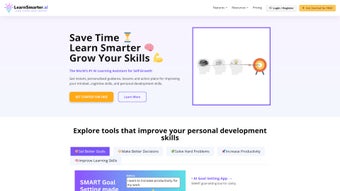
LearnSmarter is an AI‑driven personal development platform that blends cutting‑edge machine learning with an intuitive user interface to accelerate self‑growth. Designed for professionals, students, and lifelong learners, the tool promises to simplify complex concepts, provide instant answers, and create a customized learning journey. More than 10,000 users already rely on its suite of AI Learning Tools, AI BookGuru for interactive reading, and Fast Track Courses that focus on specific development goals such as leadership, time‑management, and creative thinking.
The platform’s hallmark is the AI LearningGuru chat, which acts like a personal tutor, guiding users through tailored lesson plans and offering real‑time feedback. Additionally, LearnSmarter introduces AI Characters—digital avatars modeled after famous historical figures—adding a playful, immersive layer to the learning experience. While the platform excels in delivering focused, high‑impact content, it does not currently support offline access or collaborative group sessions, keeping the experience primarily individual.
Nevertheless, for anyone looking to fast‑track skill acquisition, master new subjects, or simply stay ahead in a fast‑changing world, LearnSmarter provides a comprehensive, secure, and constantly updated environment.
Core Features and Tools
- AI Learning Tools: Adaptive quizzes, spaced‑repetition flashcards, and predictive analytics that adjust difficulty based on user performance.
- AI BookGuru: Interactive reading assistant that highlights key passages, generates summaries, and poses comprehension questions.
- Fast Track Courses: Short, goal‑oriented modules ranging from 30 minutes to 2 hours, each built around a specific personal development objective.
- AI LearningGuru Chat: Conversational interface that creates personalized learning paths, answers queries instantly, and suggests supplemental resources.
- AI Characters: Virtual mentors modeled after renowned thinkers (e.g., Leonardo da Vinci, Marie Curie) that provide motivational quotes and contextual anecdotes.
- Progress Dashboard: Visual analytics showing time spent, skill mastery levels, and upcoming milestones.
- Secure Cloud Sync: All data is encrypted and saved to the cloud, allowing seamless access across devices.
Each feature is engineered to reduce cognitive overload and keep the learner in a state of flow. For example, the AI Learning Tools employ a proprietary algorithm that predicts the optimal moment to revisit a concept, ensuring long‑term retention without unnecessary repetition. The AI BookGuru transforms passive reading into an active dialogue; as you scroll through a chapter, the system automatically extracts key ideas and prompts you with reflective questions, making the material more memorable.
Fast Track Courses are curated by subject‑matter experts and updated quarterly, guaranteeing that the content remains relevant in rapidly evolving fields like digital marketing or data science. The AI LearningGuru chat stands out as a 24/7 tutor—simply type a question like “How can I improve my public speaking?” and receive a step‑by‑step plan, recommended videos, and practice exercises within seconds. While the platform currently focuses on individual learning, its modular architecture suggests future expansions such as team‑based challenges or offline downloadable modules.
Installation, Usage Instructions, and Compatibility
Getting Started
Downloading LearnSmarter is straightforward. Visit the official website, click the “Download” button, and select the appropriate installer for your operating system. The installer is lightweight (under 150 MB) and includes a digital signature to verify authenticity, ensuring a secure installation process. After launching the installer, follow the on‑screen prompts: accept the license agreement, choose an installation folder, and click “Install.” Once the setup completes, launch the application and create a new account using an email address or single‑sign‑on via Google or Microsoft.
Initial Configuration
Upon first login, LearnSmarter runs a short onboarding questionnaire to gauge your current skill level, preferred learning style, and personal development goals. This information feeds directly into the AI LearningGuru, which generates a starter learning path tailored to your responses. You can also import existing notes or connect your calendar to receive reminders for scheduled study sessions.
Daily Workflow
Each day, the dashboard presents a “Today’s Focus” card highlighting the top priority activity—whether it’s completing a quiz, reading a chapter with AI BookGuru, or watching a short tutorial. Clicking the card opens the relevant module, and the AI LearningGuru remains accessible via a persistent chat icon in the lower‑right corner. Users can pause, resume, or skip content, with the system automatically adjusting the subsequent plan to maintain optimal progress.
System Requirements
- Windows 10 or later (64‑bit)
- macOS 11 (Big Sur) or later
- iOS 13+ for iPhone/iPad
- Android 8.0+ (ARM64)
LearnSmarter runs efficiently on both low‑end laptops and high‑performance workstations. Minimum RAM requirement is 4 GB, though 8 GB is recommended for smoother multitasking when using video‑heavy courses. The application uses a modest amount of storage (≈500 MB) for cached data, and all user progress is stored securely in the cloud, making device swaps seamless. Regular updates are delivered automatically, ensuring you always have the latest AI models and course content without manual intervention.
Pros, Cons, and Frequently Asked Questions
Pros
- Highly personalized learning paths powered by AI.
- Interactive reading assistant that turns static text into active learning.
- Fast Track Courses enable rapid skill acquisition.
- Secure cloud sync across Windows, macOS, iOS, and Android.
- Engaging AI Characters add a motivational layer.
Cons
- Focuses exclusively on personal development; no professional certification tracks.
- Lack of offline mode limits usage in low‑connectivity environments.
- No built‑in collaborative or group learning features.
- Free tier offers limited daily content; premium subscription required for full access.
FAQ – Frequently Asked Questions
Is LearnSmarter free to use?
LearnSmarter offers a free tier with limited daily content. Full access to all courses, AI tools, and premium AI Characters requires a subscription starting at $9.99 per month.
Can I use LearnSmarter offline?
Currently, LearnSmarter is a cloud‑dependent service and does not support offline playback. Future updates may introduce downloadable modules.
How secure is my personal data?
All user data is encrypted both in transit (TLS 1.3) and at rest (AES‑256). LearnSmarter complies with GDPR and CCPA standards, ensuring privacy and security.
Which devices are supported?
LearnSmarter runs on Windows 10+, macOS 11+, iOS 13+, and Android 8.0+. A responsive web version is also available for any modern browser.
Is there a trial period for the premium subscription?
Yes, new users receive a 14‑day free trial of the premium tier, granting unrestricted access to all features and courses.
Conclusion and Call to Action
LearnSmarter stands out in the crowded personal development market by harnessing AI to create a truly individualized learning environment. Its blend of interactive reading, fast‑track courses, and a conversational tutor delivers a seamless experience that keeps users motivated and on track. While the lack of offline capability and collaborative tools may be a drawback for some, the platform’s security, cross‑device compatibility, and continuous updates make it a reliable choice for anyone serious about accelerating personal growth. If you’re ready to transform the way you learn, boost productivity, and gain confidence in new skill sets, the next step is simple: download LearnSmarter, start your free trial, and let the AI guide you toward your goals.



.png)



